Terminal-First Workflow with Tmux, uv, and Neovim
A fast, minimal, and repeatable development setup built around the terminal—using tmux, Neovim, and Python + uv—to power my GenAI workflow.
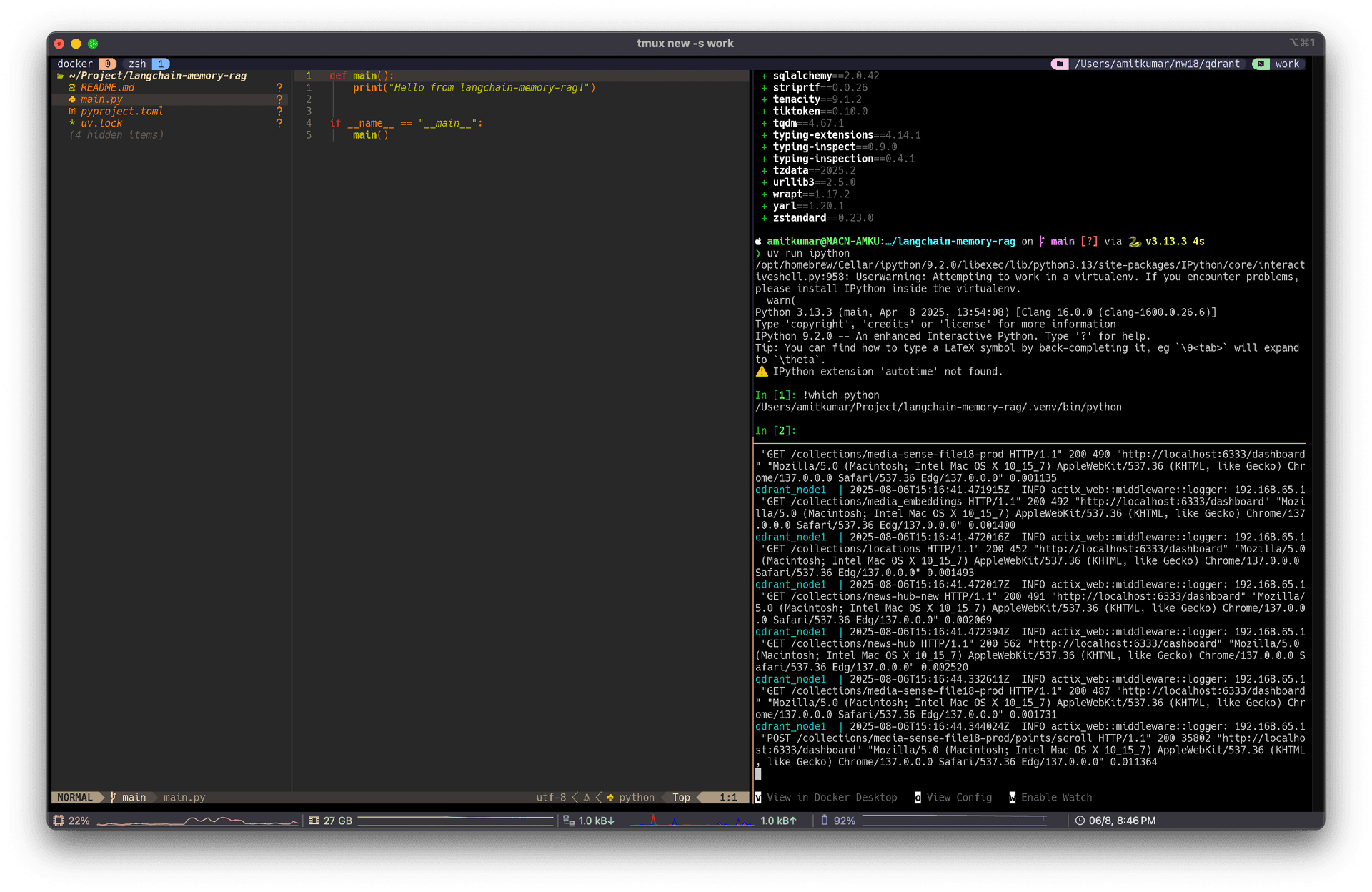
In this post, I’m documenting my current development workflow—one that I’ve shaped over time to stay fast, focused, and distraction-free. It’s a terminal-first setup centered around tmux, Neovim, and uv, optimized specifically for fast prototyping and iterating on GenAI applications in Python.
While IDEs are getting heavier and more AI-assisted every year, I’ve stuck to a lightweight stack that’s entirely keyboard-driven, reproducible, and persistent across sessions.
🔧 Tools I Rely On
Here’s a breakdown of the tools and plugins that make up my daily environment:
- tmux – Terminal multiplexer for splitting windows, managing panes, and quickly switching between projects.
- tmux-resurrect – Saves and restores tmux sessions, windows, and panes after a restart.
- tpm (Tmux Plugin Manager) – Manages my tmux plugins with a simple
prefix + Ikeybind to install. - vim-tmux-navigator – Allows seamless navigation between tmux panes and Neovim splits using
<C-h/j/k/l>. - uv – A super-fast Python package manager and runtime built in Rust. It replaces
pip + venvand drastically reduces Python project startup time. - IPython – For fast prototyping and testing, IPython inside a uv shell is my go-to REPL.
- Neovim via LazyVim – My IDE setup is based on LazyVim, providing a modern, minimal Neovim config with lazy-loaded plugins and tight performance.
🧠 Why This Setup?
I work primarily with Python in GenAI and LLM-related projects, where iteration speed and reproducibility matter. This setup gives me:
- Instant context switching across panes and projects
- Persistent development sessions I can resume anytime
- Blazingly fast Python environment creation and package installs
- Snappy, customized editing experience in Neovim
- Seamless navigation between editor and shell
All of this, without leaving the terminal.
🛠️ How It All Comes Together
Here’s how I usually structure my workspace:
- Start a new tmux session for each project:
tmux new-session -s my-genai-project - Create tmux windows for:
- nvim – for coding
- uv venv && ipython – for REPL-based prototyping
- Logs / server output / pytest runs
- Use tmux-resurrect to save the session:
# Save session
prefix + Ctrl-s

# Restore session later
prefix + Ctrl-r- To move between Neovim and shell panes:
# Ctrl-h/j/k/l will move across tmux and Neovim splits- Run python in uv
uv init --no-workspace .
uv add openai transformers
uv run ipython- My entire setup is version-controlled in my dotfiles repo, making it portable and repeatable across systems.
📦 Example: Setting Up a New Project
# Create a new directory and init Python env
mkdir langchain-memory-rag
cd langchain-memory-rag
uv init --no-workspace .
uv add llama-index langchain openai

# Launch REPL
uv run ipython
Launch your tmux + Neovim session from here and you’re set.